TL;DR
- SharePoint is rolling out a new UI with Discover, Publish, and Build in the app bar.
- Discover surfaces relevant content using signals (not navigation).
- Publish centralises pages and news, treating publishing as a first‑class activity.
- Build speeds up site, list, and library creation, with governance now more important than ever.
- This isn’t just a redesign: the new UI mirrors how Microsoft 365 Copilot finds and uses information.
- Clean structure, strong metadata, and intentional publishing now directly impact search, AI answers, and trust
If you’ve opened SharePoint recently and thought, “Hang on… something’s changed”, you’re not wrong.
Microsoft has started rolling out a new SharePoint user interface, and while it might look like “just another redesign” at first glance, it’s a shift in how SharePoint expects us to find, create, and use information.
At the heart of this change is a new app bar with three simple words: Discover. Publish. Build.
Let’s break down what you’re seeing, where to find it, and what those three options mean. And why this update is quietly reshaping how intranets (and Copilot) work.
First up: where did this new SharePoint UI come from?
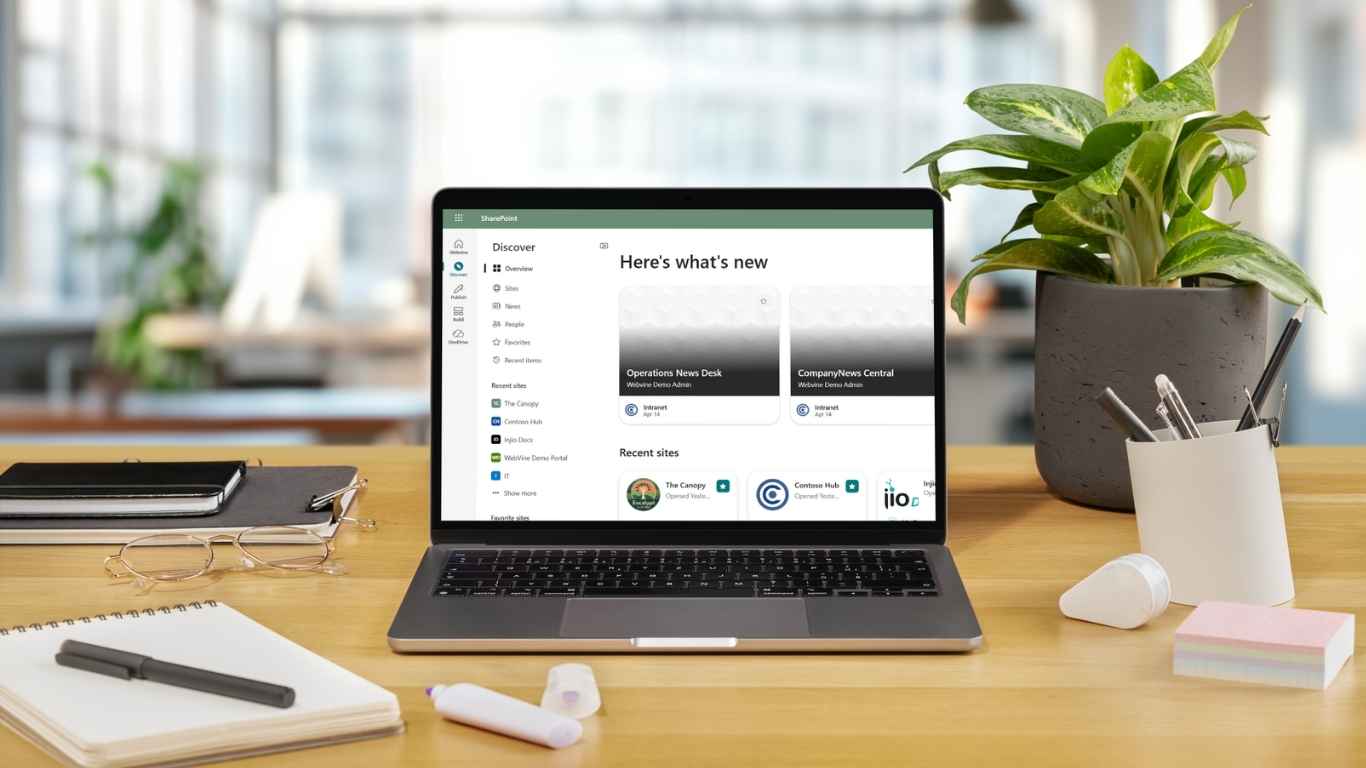
You might notice a refreshed app bar running across the top or side of SharePoint (depending on your layout). This is part of Microsoft’s new SharePoint experience, currently rolling out across tenants.
Not everyone will see it at the same time, and some organisations may delay or control when it’s enabled. So, if colleagues are seeing “new SharePoint” and you’re not yet, that’s completely normal.
If you do see it, the biggest visual change is this simplified entry point:
- Discover
- Publish
- Build
No tutorials. No pop‑ups. Just… there.
Which brings us to the obvious question.
What do Discover, Publish, and Build mean?
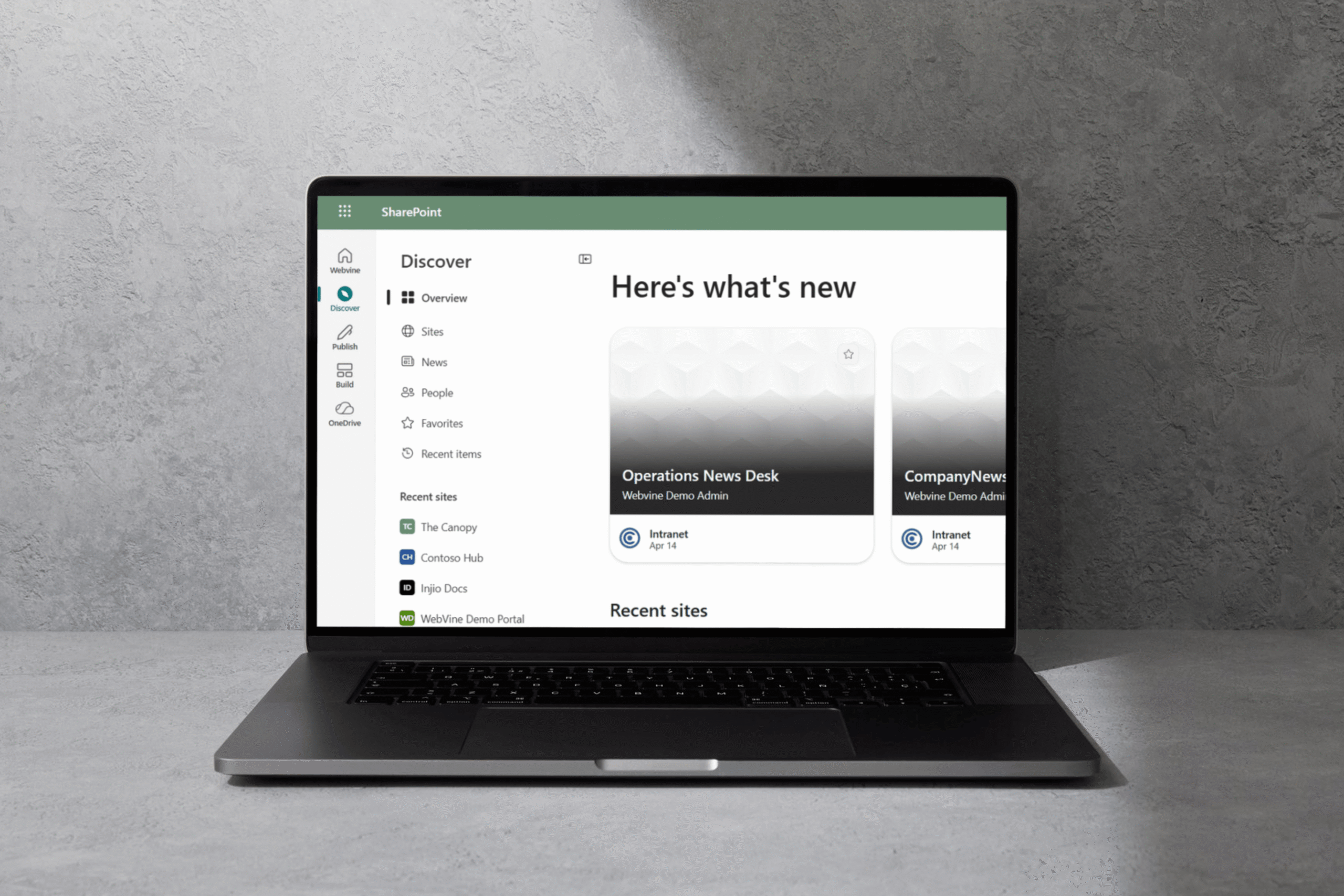
Discover: “Show me what matters”
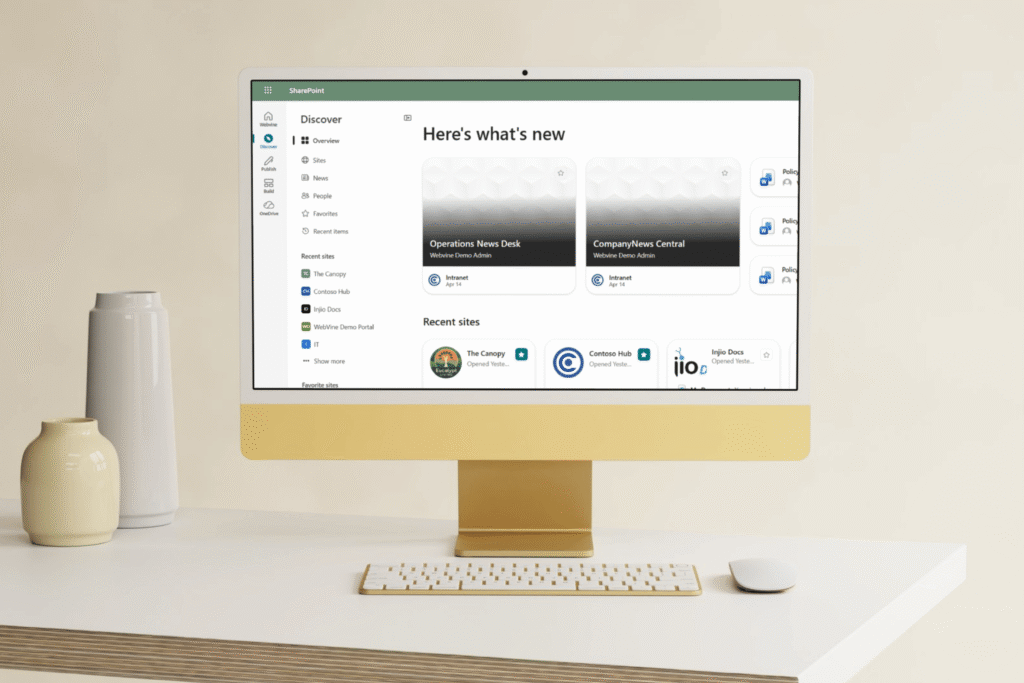
Think of Discover as SharePoint saying:
“Don’t make me click through six menus. Just show me the good stuff.”
Discover is where SharePoint surfaces:
- Relevant sites
- Recent and recommended content
- News and updates you’re likely to care about
It’s less like a traditional site homepage and more like a personalised dashboard.
Discover is Spotify’s “Made for You”. Except instead of music, its documents, pages, and knowledge.
When should you use Discover?
- When you want to catch up, rather than hunt
- When you don’t know where something lives
- When you’re looking for “what’s happening” rather than a specific file
The quiet shift here:
Discover doesn’t rely on perfect navigation. It relies on signals. Things like activity, relevance, structure, and metadata.
We’ll come back to why that matters.
Publish: “This is worth sharing”
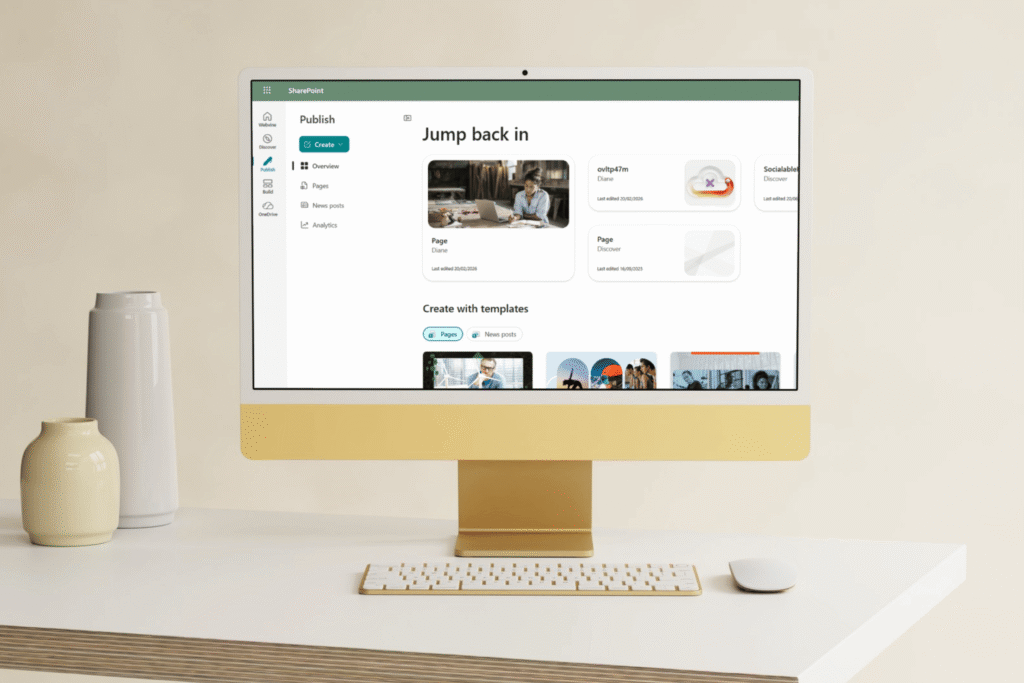
Publish is where things get interesting for intranets.
Instead of publishing being buried inside individual sites, SharePoint now treats it as its own activity, creating and managing:
- News
- Pages
- Campaign-style communications
This isn’t about uploading documents. It’s about intentional communication.
If Discover is about finding, Publish is about shaping what gets found.
When should you use Publish?
- When you’re sharing something meant to be read, not stored
- When the message matters (updates, announcements, stories, guidance)
- When consistency and quality count
A helpful way to think about it:
Publish turns SharePoint from “a place with pages” into something closer to a newsroom.
And that’s a big deal for intranets.
Build: “Let’s create something”
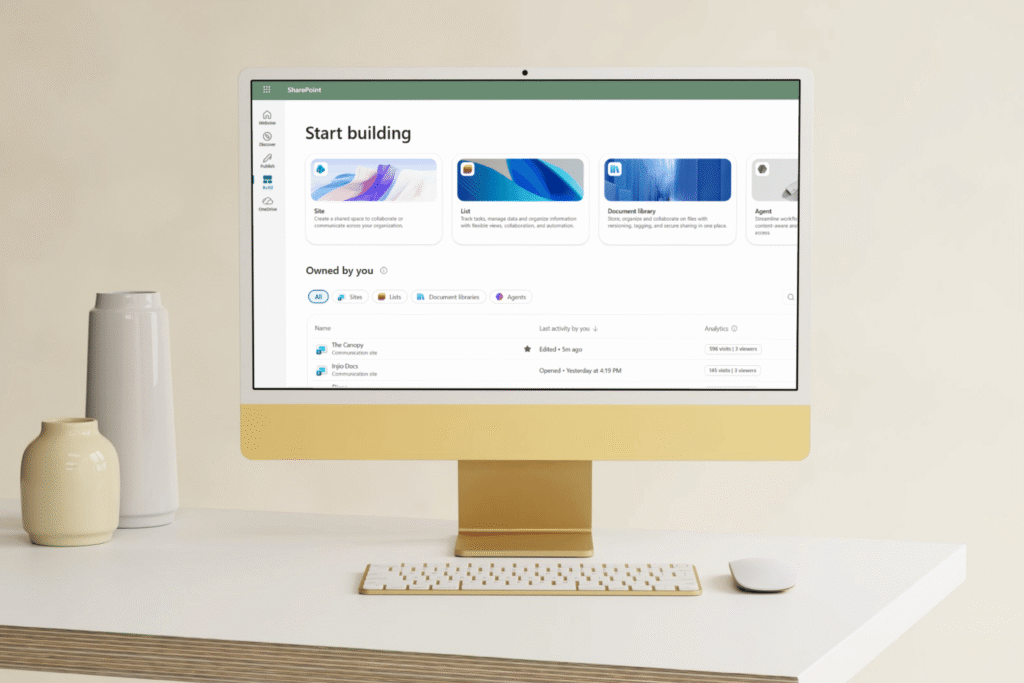
Build is the creative workshop. This is where you create:
- Sites
- Lists
- Libraries
- (And increasingly) components and agents
It’s faster and more accessible than older SharePoint creation paths, which is both brilliant and dangerous.
When should you use Build?
- When you have a clear purpose
- When you know who something is for
- When you’ve already decided how it fits into the bigger picture
Because while Build makes creation easy, it doesn’t answer the most important question:
“Should this exist in the first place?”
The part most people aren’t talking about: this UI isn’t just for humans
Discover, Publish, and Build don’t just organise SharePoint for people. They organise SharePoint for AI.
This new UI lines up almost perfectly with how Microsoft 365 Copilot works:
- Discover depends on clean signals and relevant content
- Publish shapes the quality and clarity of information
- Build defines the containers Copilot is allowed to draw from
In other words:
Your intranet is no longer just something people browse. It’s training data in motion.
If content is outdated, poorly labelled, duplicated, or scattered:
- Discover quietly ignores it
- Copilot struggles to answer confidently
- Users lose trust (fast)
The new SharePoint UI is Microsoft gently signalling:
“Structure matters. Quality matters. Purpose matters.”
What this means for intranets
This update rewards organisations that:
- Treat content as designed, not dumped
- Publish with intent, not habit
- Build fewer things, better
And it exposes:
- Messy metadata
- Site sprawl
- “Everyone can publish everything” models that don’t scale
The days of relying purely on menus and mega‑navs are fading. Discover-led intranets succeed or fail based on how well the knowledge is shaped underneath.
A simple place to start
If you only do one thing after noticing this new UI, do this:
Look at your intranet through the lens of Discover, not navigation.
Ask:
- What content would naturally surface here?
- What should surface, but probably won’t?
- What signals are we (unintentionally) sending?
Because SharePoint has changed its expectations. And quietly invited us to do the same.
Frequently Asked Questions
Why does SharePoint look different all of a sudden?
Microsoft is rolling out a new SharePoint experience that redesigns the main entry point into SharePoint. The updated app bar introduces Discover, Publish, and Build to reflect the three most common things people do in SharePoint: find information, communicate updates, and create solutions. Rollout started in March 2026 and will continue through April–May 2026, depending on your tenant and release settings
Where can I find Discover, Publish, and Build?
They appear in the SharePoint app bar, which you’ll see when you open SharePoint in Microsoft 365. During the preview period, some users may see a toggle allowing them to switch back to the previous experience. Once the rollout reaches general availability, the new experience becomes the default for all users.
What is Discover in SharePoint, exactly?
Discover replaces the old SharePoint start experience. It surfaces relevant sites, content, and news based on activity, relevance, and other signals, rather than relying purely on navigation. It’s designed to help users find what matters quickly, even if they don’t know where it lives.
How is Publish different from just editing pages in a site?
Publish is a dedicated hub for creating and managing pages, news, and communications across SharePoint. Instead of publishing being something you do inside a site, it’s treated as a first‑class activity. This reflects Microsoft’s shift toward SharePoint as a communications and storytelling platform, not just a document repository.
What does Build include?
Build is a central place to create and manage SharePoint sites, lists, libraries, and agents. It makes creation faster and more accessible, especially for modern SharePoint solutions. While this reduces friction, it also means governance, templates, and clear purpose are more important than ever.
Is this just a UI refresh, or something bigger?
It’s bigger than a visual update. Microsoft has redesigned SharePoint around discovering knowledge, publishing content, and building solutions. And this structure also underpins future AI and Copilot experiences. The new UI lays the foundation for AI‑assisted discovery, creation, and management in SharePoint.
Do I need Microsoft 365 Copilot for this new SharePoint experience?
You don’t need Copilot to see the new UI. However, AI‑assisted features within the new experience do require a Microsoft 365 Copilot license. Users without Copilot can still use Discover, Publish, and Build, just without the AI enhancements.
What does this mean for intranets?
Discover changes how people arrive at intranet content. Instead of starting on a home page and using navigation, many users will increasingly consume intranet news and pages through personalised recommendations. That can reduce reliance on the “homepage-as-front-door” model, but it doesn’t make the intranet less important.
- Maintaining a clear, governed intranet structure (home site, hubs, site purpose) so content remains trustworthy and easy to manage
- Publishing intentionally (strong headlines, summaries, audience targeting where appropriate, and clear ownership) so the right content earns strong “signals”
- Improving findability (metadata, consistent page patterns, and reducing duplication) so Discover and Copilot surface the authoritative version
About the Author
Chloe Dervin is the Co-Founder and Managing Director of WebVine, where she helps organisations get more value from Microsoft 365 through practical, user-focused digital workplace solutions. With over 20 years’ experience across consulting, project delivery, and business transformation, Chloe focuses on making technology genuinely useful. Not just technically successful.
She has worked with organisations across Australia and globally, guiding teams to build more connected, productive, and sustainable ways of working
Chloe is passionate about simplifying complexity, improving adoption, and helping organisations turn good ideas into practical outcomes through platforms like Injio, which was created, implemented and updated by the WebVine team.
Sources
- New SharePoint experience – SharePoint in Microsoft 365 (Microsoft Learn)
Official Microsoft documentation outlining the redesigned SharePoint experience, including Discover, Publish, and Build, the refreshed app bar, and rollout details.
https://learn.microsoft.com/en-us/sharepoint/enable-new-sharepoint-experience - Introducing the new SharePoint experience (Microsoft / Message Center post)
Microsoft’s announcement explaining the intent behind the new SharePoint experience, rollout timelines, and how Discover, Publish, and Build fit together.
https://m365admin.handsontek.net/introducing-new-sharepoint-experience/