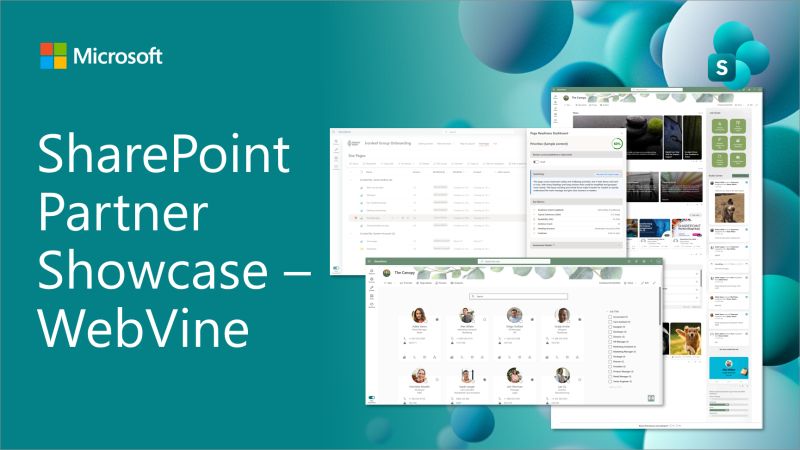
- Injio and Injio Docs were featured by Microsoft as part of their SharePoint Partner Showcase.
- The session highlighted how Injio extends SharePoint sensibly, without replacing native Microsoft 365 capabilities.
- Microsoft called out Injio’s polish, clean design, and usability, especially how customisation blends seamlessly with SharePoint.
- Injio Docs was recognised for simplifying complex document approvals and governance without forcing business users into Power Automate or Copilot Studio.
- The showcase also explored how Injio supports practical Copilot readiness, focusing on content quality before AI.
- The approach reinforces Injio’s philosophy: reduce technical debt, speed time to value, and evolve alongside Microsoft 365.
Injio (and WebVine) were recently featured by Microsoft in their SharePoint Partner Showcase, where Vesa Juvonen, Principal Product Manager at Microsoft, sat down with WebVine’s Managing Director, Chloe Dervin and Head of Delivery & Product, James Dellow to talk through how Injio and Injio Docs extend SharePoint Online in a practical, sustainable way.
(In case you didn’t know, WebVine is the team behind Injio).
You can watch the full showcase video below. If you prefer to read, we’ve summarised it below.
Why Microsoft showcased Injio
The SharePoint Partner Showcase doesn’t focus on tools that rebuild what SharePoint already does well. It focuses on solutions that extend SharePoint sensibly, adding structure, usability, and confidence where organisations often struggle with out of the box.
That approach sits at the heart of Injio.
During the session, Microsoft highlighted several reasons Injio and Injio Docs stood out:
- Built entirely on SharePoint Online, SharePoint Framework (SPFx), and Power Platform
- Designed to work with Microsoft 365’s evergreen roadmap (not against it)
- A clear example of how proven SharePoint patterns can be productised and reused
Rather than introducing a parallel system, Injio adds a clean, intentional layer over native SharePoint capabilities. Exactly the kind of approach Microsoft encourages for long-term success.
Think of it like renovating a house without touching the foundations. Everything works the way it should and this improves it.
From real-world delivery to productised solutions
WebVine has been delivering SharePoint solutions since 2010, back when “modern SharePoint” meant something very different.
Over time, we noticed a pattern. Teams kept asking for the same things:
- A clearer intranet structure
- Less fragile document approvals
- Fewer custom builds that were hard to maintain
Injio and Injio Docs were created by turning those repeatable, field-tested patterns into products. Patterns that had already proven they could stand the test of time.
The result is:
- Faster time to value
- Less technical debt
- Solutions that keep pace with Microsoft 365 changes
Injio isn’t a one‑off build. It’s designed to grow alongside SharePoint.
Injio: a modern SharePoint intranet accelerator
The showcase started with Injio’s intranet experience, where Microsoft called out how polished and usable the solution feels.
Injio enhances the SharePoint intranet experience through:
- A consistent design system layered over modern SharePoint pages
- Clear patterns for news, announcements and events
- Social features that encourage recognition and connection (without forcing engagement)
- Flexible video integration across Stream, Vimeo and YouTube
- Stronger information architecture and people discovery
Microsoft noted how seamlessly these components blend with out‑of‑the‑box SharePoint, to the point where users often can’t tell what’s native and what’s custom.
That’s intentional. We believe the best intranet tools fade into the background and let people get on with their work.
Injio Docs: controlled document management done right
The deeper walkthrough focused on Injio Docs, our solution for managing controlled, high‑value documents such as:
- Policies and procedures
- Contracts and agreements
- Board papers
- Regulated or audited documents
Life‑cycle driven, not flow‑driven
Injio Docs introduces a clear document life cycle that mirrors how SharePoint naturally wants to manage documents.
During the demo, Microsoft highlighted how this simplifies real‑world scenarios through:
- Clear draft, review, approval and published states
- Temporary collaboration during reviews (without permanent permission sprawl)
- Multi‑level approvals that scale without becoming fragile
- Queue‑based approvals managed inside SharePoint
- Clean published libraries with a single source of truth
The takeaway was simple: sophisticated outcomes, without asking everyday users to understand how the machinery works underneath.
Built for governance, audit and compliance
Injio Docs was also shown handling the scenarios that matter when documents really count:
- One clean published version (no confusion, no accidental rollbacks)
- Optional PDF conversion where immutability matters
- Full approval history retained for audit and ISO purposes
- Archived working documents preserved as the true system of record
It’s designed to support governance without making the experience feel heavy or restrictive.
Practical Copilot readiness (with purpose)
The session also explored how Injio is approaching Copilot readiness in a way that’s practical, measurable, and genuinely useful. Not just AI for the sake of it.
During the showcase, we walked through two tools that help organisations understand how ready their content really is for Copilot, and where to focus first:
Page Assessment Tool (PAT)
The Page Assessment Tool (PAT) looks at individual SharePoint pages and scores them against clear, transparent criteria. Things like structure, readability, and layout. These are the fundamentals that make content easier for people to understand and easier for Copilot to work with.
PAT combines a mechanical score (to keep results consistent and avoid AI drift) with Copilot‑assisted feedback that explains why a page scored the way it did and what could be improved. Microsoft called this out as a strong, responsible pattern; using AI to guide improvement, without letting it guess or wander off course.
In simple terms: it helps content owners move from “this page doesn’t feel right” to “here’s exactly what to fix.”
Copilot Assessment Tool (CAT)
The Copilot Assessment Tool (CAT) takes that same thinking and applies it at scale.
Instead of reviewing pages one by one, CAT scans large sets of intranet and knowledge base content and presents a clear readiness map. Pages are grouped by priority, giving teams practical direction on where to focus their time. Rather than trying to fix everything at once.
Microsoft highlighted the value of this approach: clear scoring, visible criteria, and actionable insights that support delegation and continuous improvement, not one‑off clean‑ups.
Supporting Copilot readiness the Injio way
What stood out during the session was how deliberately Injio supports Copilot readiness:
- Start with strong content fundamentals
- Make quality visible and measurable
- Use Copilot as an assistant, not a crutch
It’s a grounded approach that improves content for humans first, while naturally preparing organisations for Copilot at the same time. And, as Microsoft noted, it aligns closely with how they see Copilot being used successfully in real organisations.
Built the way Microsoft wants partners to build
Across the discussion, Microsoft repeatedly reinforced a theme: Injio reflects the kind of solution design they want to see in the SharePoint ecosystem.
That includes:
- Best‑practice use of SharePoint Framework
- Cost‑effective extensibility without extra licensing overhead
- A solution model that benefits customers as Microsoft 365 continues to evolve
For organisations using SharePoint long term, that alignment is an extra security net.
See Injio in action
If you’re responsible for an intranet, document management, or preparing your content for Copilot, the SharePoint Partner Showcase is well worth watching.
It offers a transparent look at how Injio and Injio Docs work under the hood, and why Microsoft chose to highlight this approach to building on SharePoint.
If you’d like to explore whether Injio or Injio Docs is right for your organisation, reach out to our team.
Frequently Asked Questions
Why was Injio featured on Microsoft’s SharePoint Partner Showcase?
Microsoft features solutions that demonstrate best‑practice use of SharePoint Online, SharePoint Framework (SPFx), and Power Platform.
Injio was showcased because it extends SharePoint in a way that’s practical, scalable, and aligned with Microsoft’s evergreen roadmap.
What is the SharePoint Partner Showcase?
The SharePoint Partner Showcase is a Microsoft‑led series that highlights real partner solutions built on SharePoint. It focuses on how solutions are designed and implemented in real organisations.
Is Injio built on SharePoint or does it replace it?
Injio is a SharePoint accelerator.
It layers design, structure, and usability on top of SharePoint Online, rather than replacing it. All core capabilities (security, permissions, metadata, version history) remain native to Microsoft 365.
How does Injio Docs handle approvals and version control?
Injio Docs introduces a clear document life cycle that works with SharePoint, not around it.
It supports:
- Draft, review, approval, and publish states
- Multi‑level approvals that scale cleanly
- Temporary collaboration during reviews
- A single, clean published version
- Full audit and approval history retained for compliance
All while keeping the experience approachable for everyday users.
Is Injio Docs suitable for regulated or audited environments?
Yes. Injio Docs was designed with controlled documents in mind, including policies, procedures, contracts, and regulated content.
It supports governance, auditability, and compliance without creating friction or confusion for users.
Who builds and supports Injio?
Injio is built and supported by WebVine, a Microsoft‑focused digital workplace consultancy delivering SharePoint solutions since 2010.